
Tidy Up History Tools Hub
Checklists and PC specs to keep your Casual Human museum restore on track.
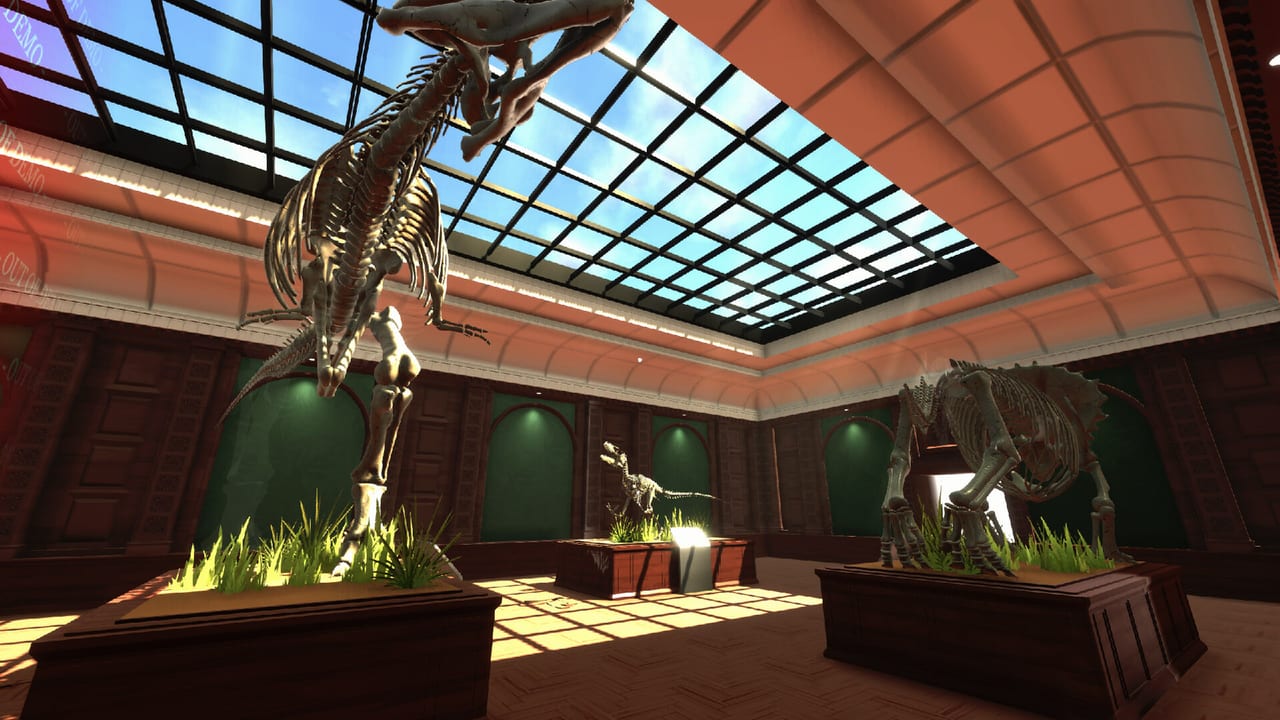
The Tools Hub collects practical utilities for Tidy Up History—the cozy single-player museum cleaning sim from Casual Human, released on Steam 16 September 2026. Unlike tier opinions, these pages help you measure progress and confirm your PC before long restoration sessions.
Start with the featured Museum Progress Checklist if you are chasing Museum Owner, Master Cleaner, Keymaster, or Knowledgeable. Confirm hardware on System Requirements if hitching or long load worries you—minimum specs call for 16 GB RAM, Windows 10, an Intel i5-2500-class CPU, and a GTX 1050-level GPU.
What belongs in Tools
- Progress trackers for rooms, keys, knowledge books, skeletons, and ability completion
- Hardware and launch readiness notes for Windows Steam installs
- Cross-links into strategy pages when a tool reveals a bottleneck (usually abilities or wing order)
For ranking advice, use the Tier List Hub. For patch timing, use the Updates Hub. For official URLs and disambiguation from other “Tidy Up” games, visit the Links Hub.
Tool pages
Museum Progress Checklist
A structured checklist covering the known exhibit wings—Cerapoda through Indigenous North America—plus achievement pillars (all abilities, full restore, all keys, all knowledge books). Featured for launch-week completionists who want a single place to tick boxes between sessions.
System Requirements
Minimum Steam specs, storage footprint, controller notes, and practical performance tips for dusty halls full of props. Read this before blaming a slow clean loop on “bad abilities” when the real issue is paging from low RAM.
How to use tools with guides and tiers
- After each play session, open the checklist and mark finished wings, found keys, and completed books.
- If a wing stalls, open Ability Unlock Priority or Best Room Order instead of randomly wandering.
- If the game stutters in dense Egypt or Medieval halls, verify system requirements and close background browsers hungry for the same 16 GB.
- After patches, skim launch-day notes / Updates and re-check any newly gated rooms on the checklist.
Why checklists matter in a cozy sim
Tidy Up History has no co-op partner to remind you which pedestal you skipped. The fantasy—“inherit a ruined museum, restore every hall, open for a grand opening”—spans many themed rooms. Players lose time re-walking “finished” wings hunting one fossil shard or one knowledge book. A written checklist converts cozy vibes into completion certainty without turning the game into a spreadsheet addiction.
Suggested rhythm:
- Start of session: Pick one S/A wing from your room order plan.
- Mid session: Spend XP using the abilities priority if a new node unlocked.
- End of session: Tick the checklist while memory is fresh; note locked doors for next time.
Achievement pillars the tools support
| Pillar | What to track |
|---|---|
| Museum Owner | Every wing fully restored |
| Master Cleaner | Every ability unlocked via XP |
| Keymaster | Every key found |
| Knowledgeable | Every knowledge book collected/used path completed |
Steam lists 25 achievements total; these four are the structural ones most players plan around. The checklist page expands each with room rows.
Launch-week extras
An introductory -15% Steam offer runs through 30 September 2026—handy if you are still deciding whether to commit to a full restore. Full controller support shipped for couch cleaning; Casual Human also highlighted Steam Deck readiness around launch. Tools on this hub stay genre-agnostic to input method: ticks and specs work the same on keyboard or gamepad.
Contributing mindset
When community discoveries rename a wing subtitle or reveal a hidden side room, update your personal notes and watch this wiki’s Updates Hub. Tools pages intentionally avoid inventing unverified secret room names. Stick to the marketed loop: clean, organize, learn, unlock with keys, assemble skeletons, level abilities.
Ready to tick boxes? Open the Museum Progress Checklist. Need PC clarity first? Jump to System Requirements.
Frequently Asked Questions
Quick answers to the most common questions.
Which tool should I open first?
Use the Museum Progress Checklist for goals, or System Requirements if you have not confirmed the 16 GB RAM minimum yet.
Do these tools replace the tier list?
No. Tools track progress and specs; unlock order lives on Ability Unlock Priority and Best Room Order.
Is there a co-op checklist mode?
No. Tidy Up History is single-player with no co-op—one checklist per save is enough. See the Links Hub for official feature confirmation.
How often should I update the checklist?
After every session, especially when you find a key or finish a wing. Pair with notes from the Updates Hub after patches.