
Getting Started with Tidy Up History
Inherit the museum, clear the dust, and learn the cozy restoration loop before the grand opening.
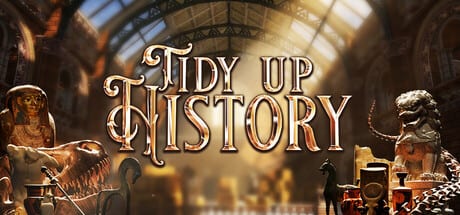
You just inherited a once-famous museum in Tidy Up History, the cozy single-player cleaning sim from Casual Human (Steam app 4870430, released 16 September 2026). Halls are dusty, artifacts are in the wrong cases, fossils are scattered, and whole wings sit behind locked doors. This beginner guide gets you from first launch to a confident early-game loop without spoiling exact key coordinates or secret puzzle answers.
Before you launch
Confirm your PC meets the minimum requirements: Windows 10 (64-bit), Intel i5-2500 3.3 GHz, 16 GB RAM, NVIDIA GeForce GTX 1050, DirectX 11, and about 2 GB of free storage. The game supports full controllers if you prefer gamepad over keyboard and mouse. There is no co-op — one curator, one save, your own pace.
Steam also runs an introductory −15% sale that ends 30 September 2026. Grab it early if you are wishlist-ready, then return here when the first dusty lobby loads.
What the game is asking you to do
The fantasy is simple and satisfying: restore the museum for a grand opening. Practically, that means five overlapping jobs:
- Clean and repair — remove dirt, clutter, and damage from exhibit halls.
- Organize — put artifacts, fossils, and museum pieces on the correct displays.
- Learn — use knowledge to identify mystery objects so they can be labeled and placed.
- Unlock — find keys that open new wings and rooms.
- Grow — earn XP, unlock abilities that speed complex repairs, and assemble dinosaur skeletons part by part.
You do not need to finish a wing perfectly before exploring another unlocked area, but finishing rooms cleanly pays off in XP, achievement progress, and mental clarity. See Cleaning and Repairs and Artifacts and Labels when those loops need detail.
First-hour checklist
Treat the opening session like orientation day for a real museum internship:
- Learn movement and interaction — walk the first open halls, practice picking up and placing items, and note how the UI signals dirty surfaces versus placeable objects. Full binding notes live in Controls.
- Clear a small zone completely — pick one corner or alcove and finish dirt, clutter, and obvious misplacements before roaming. Early wins teach the feedback loop better than spraying effort across three rooms.
- Place what you can identify — if a label or visual cue is obvious, seat the piece now. Park unknowns in a tidy holding pattern rather than forcing wrong pedestals.
- Touch every readable knowledge source you find — books and study materials unlock identification later. Skipping them creates bottlenecks. Deep dive: Knowledge Books.
- Note locked doors without obsessing — when you see a keyhole, mark it mentally and keep restoring. Keys appear as you clean and explore; hunting every shadow on hour one is slower than building momentum. Strategy page: Keys and Wings.
- Spend early XP intentionally — abilities that speed cleaning, carrying, highlighting, or repairs usually beat cosmetic fluff. Overview: Abilities and XP.
Prehistoric vs human-history halls
The museum mixes dinosaur wings with cultural history galleries. Early on you may see or unlock halls such as Cerapoda, Theropods, Ornithopods & Thyreophorans, and Non-Dinosaurian spaces, then later human eras from Stone Age through Mesopotamia, Ancient Egypt, Ancient Greece/Rome, Ancient China, Ancient India, Ancient Japan/Korea, Medieval Europe, the Islamic World, Subsaharan Kingdoms, Mesoamerica/Andean, and Indigenous North America. You will not open all of these in the first sitting — keys and wing progression gate the map. For a full room roster and tone notes, open Museum Rooms.
Dinosaur work deserves special attention: fossils are not just shelf props. You collect parts and assemble skeletons on mounts. When bones start appearing in volume, switch to Dinosaur Skeletons so you do not scatter parts across the wrong hall.
How to think about “done” in a room
A hall feels finished when dirt and damage are gone, clutter is cleared, artifacts sit on correct displays with proper identification, and any skeleton or signature exhibit for that space is complete. That standard feeds achievements such as Curator, Handyman, Master Cleaner, and the various Complete [room] unlocks. Keep Achievements bookmarked once you care about the full set of 25.
If you are unsure whether to push a new wing or polish the current one, prefer polish when you still have obvious dirt or unlabeled pieces in reach. New wings add more mess; unfinished rooms multiply confusion.
Common beginner mistakes
- Wandering every corridor before cleaning anything — exploration is good; zero completed corners feels worse than a single sparkling alcove.
- Forcing unknown artifacts onto random pedestals — wrong placements waste time and muddy your mental map. Study first when knowledge is available.
- Ignoring XP abilities — later exhibits get denser. Early investment in quality-of-life skills compounds.
- Saving all dinosaur bones “for later” forever — assemble when you have a coherent set; half-built mounts are fine progress markers.
- Expecting co-op — friends can watch or compare saves, but the Steam build is single-player only.
Suggested reading order after this page
- Controls
- Cleaning and Repairs
- Artifacts and Labels
- Knowledge Books
- Keys and Wings when you hit your first hard lock
- Walkthrough when you want a full museum route
Watch the trailer embedded on this page for tone and scope, then load your save and clear that first dusty corner. The grand opening is far away — but the first clean pedestal is only a few minutes of careful work.
Frequently Asked Questions
Quick answers to the most common questions.
What are the minimum PC specs for Tidy Up History?
Windows 10, Intel i5-2500, 16 GB RAM, GTX 1050, DirectX 11, and 2 GB storage. See also Controls for input options including full controller support.
Is there multiplayer or co-op?
No. Casual Human’s museum sim is single-player only — restore at your own pace without shared sessions.
Should I hunt keys or clean first?
Clean and organize open halls first so XP and knowledge build naturally; use Keys and Wings when a lock actually blocks your next goal.
When do dinosaur skeletons matter?
As soon as fossils accumulate in prehistoric halls — follow Dinosaur Skeletons so parts become finished exhibits instead of floor clutter.
Where is a full route for the museum?
Use the Walkthrough after you understand cleaning, labels, and keys from the early guides linked above.